Case · SupportBot · Conversational AI · OpenText
SupportBot: an OpenText-branded AI support agent
A conversational AI assistant embedded in the Webroot and Carbonite account portal that resolves the most common onboarding, account and troubleshooting questions in-chat, before they become tickets. The design is in limited release testing: live in production with targeted user groups and actively monitored ahead of a broader rollout.
Measures
SupportBot is in limited release testing with targeted user groups, so this page leads with design rather than results. Success is defined by one question: is it taking repetitive load off the support team?
Share of common questions resolved in-chat without entering the human queue.
Conversations that end solved versus escalated to a human.
In-chat answers versus the prior queue-and-wait.
Reduction in human-handled low-complexity volume.
CSAT and follow-up-contact rate on AI-assisted interactions.
Human-in-the-loop oversight levels tracked in production.
The work
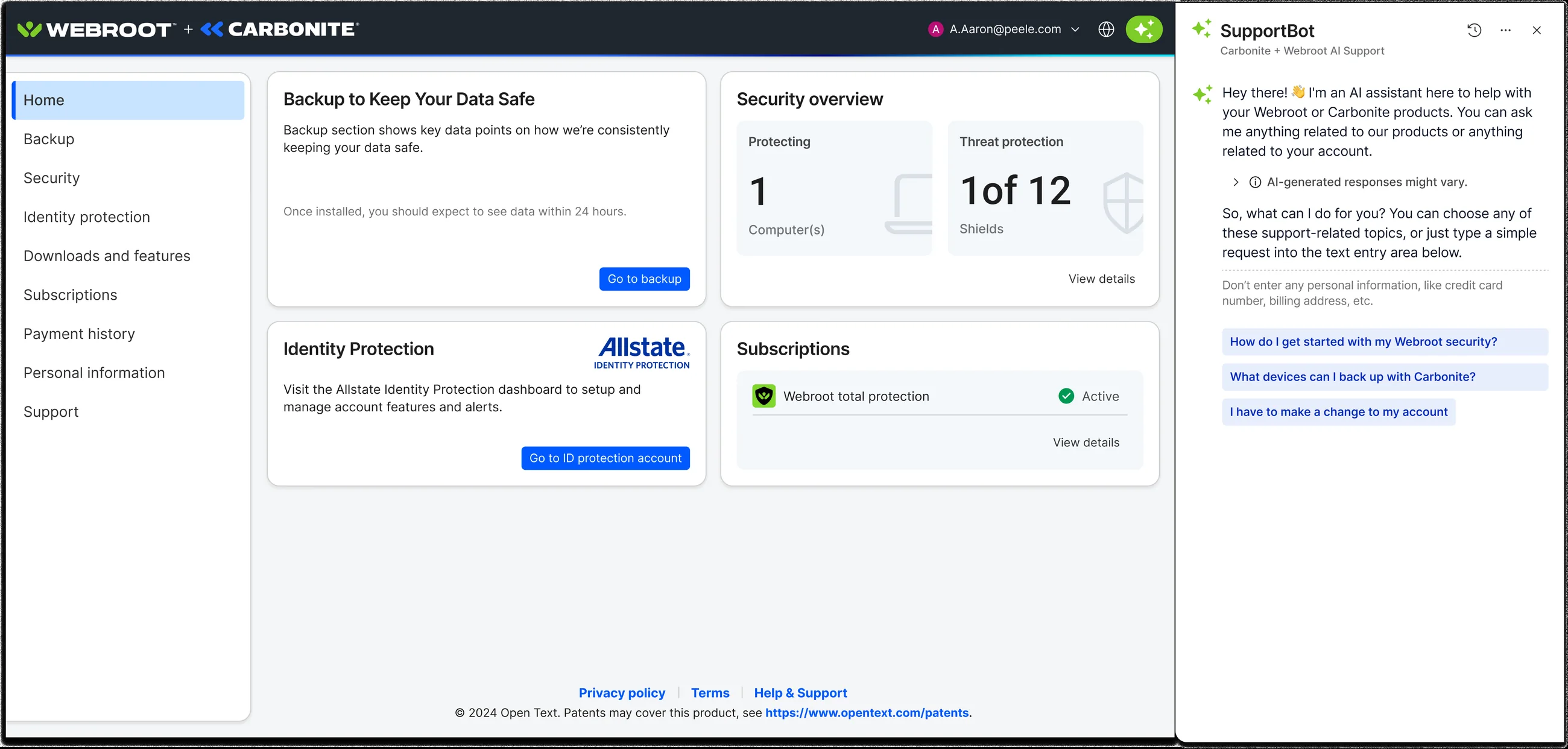
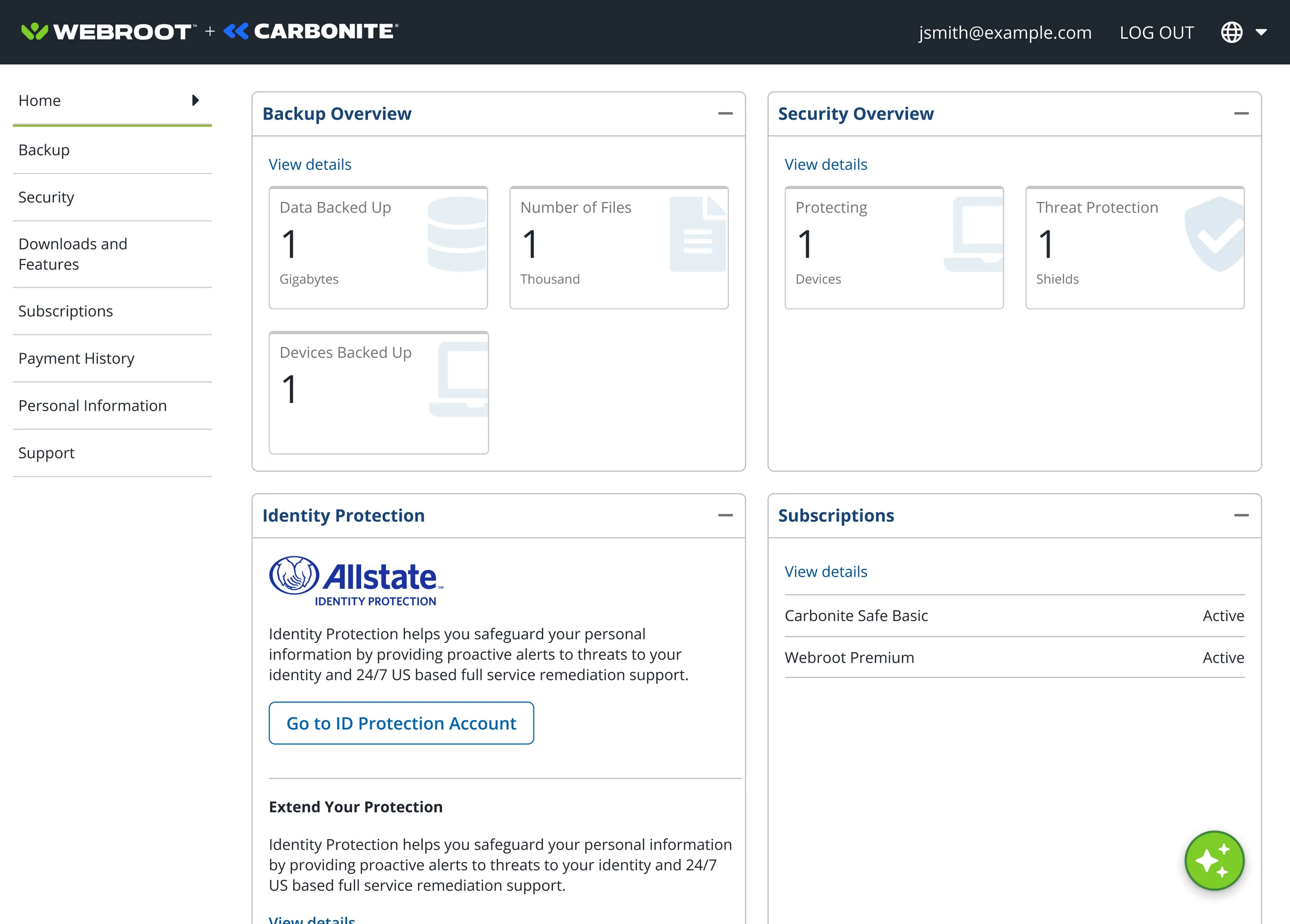
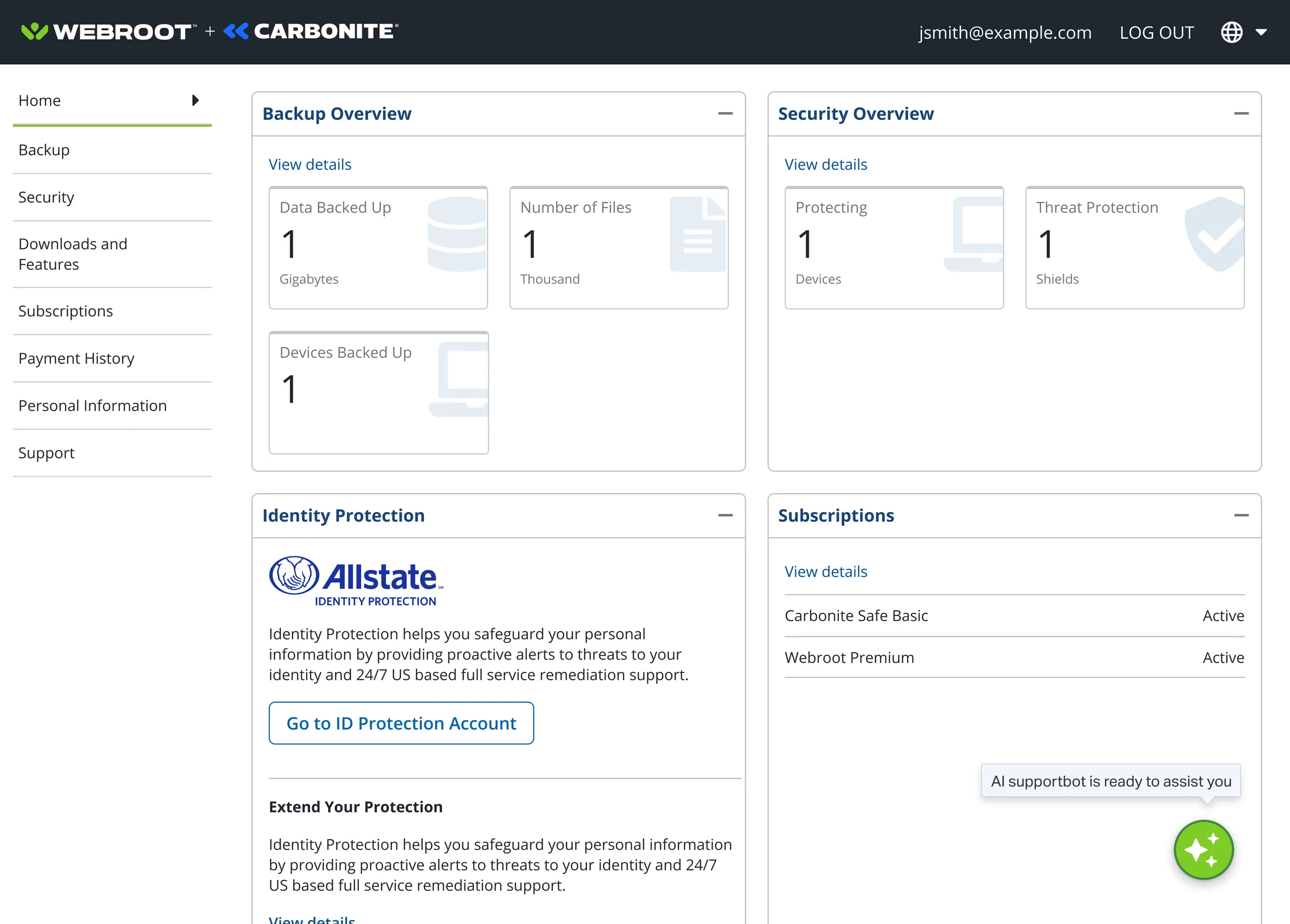
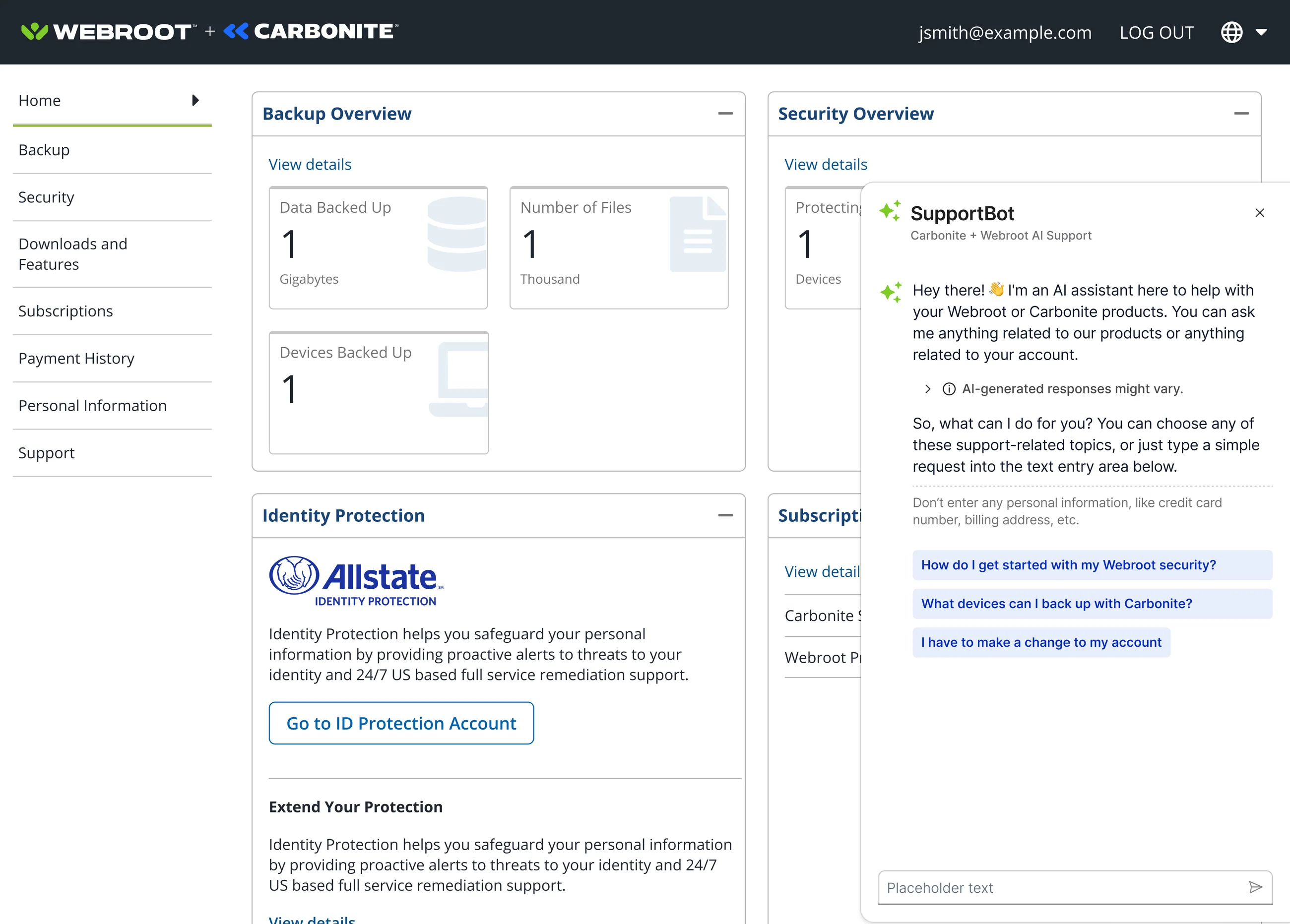
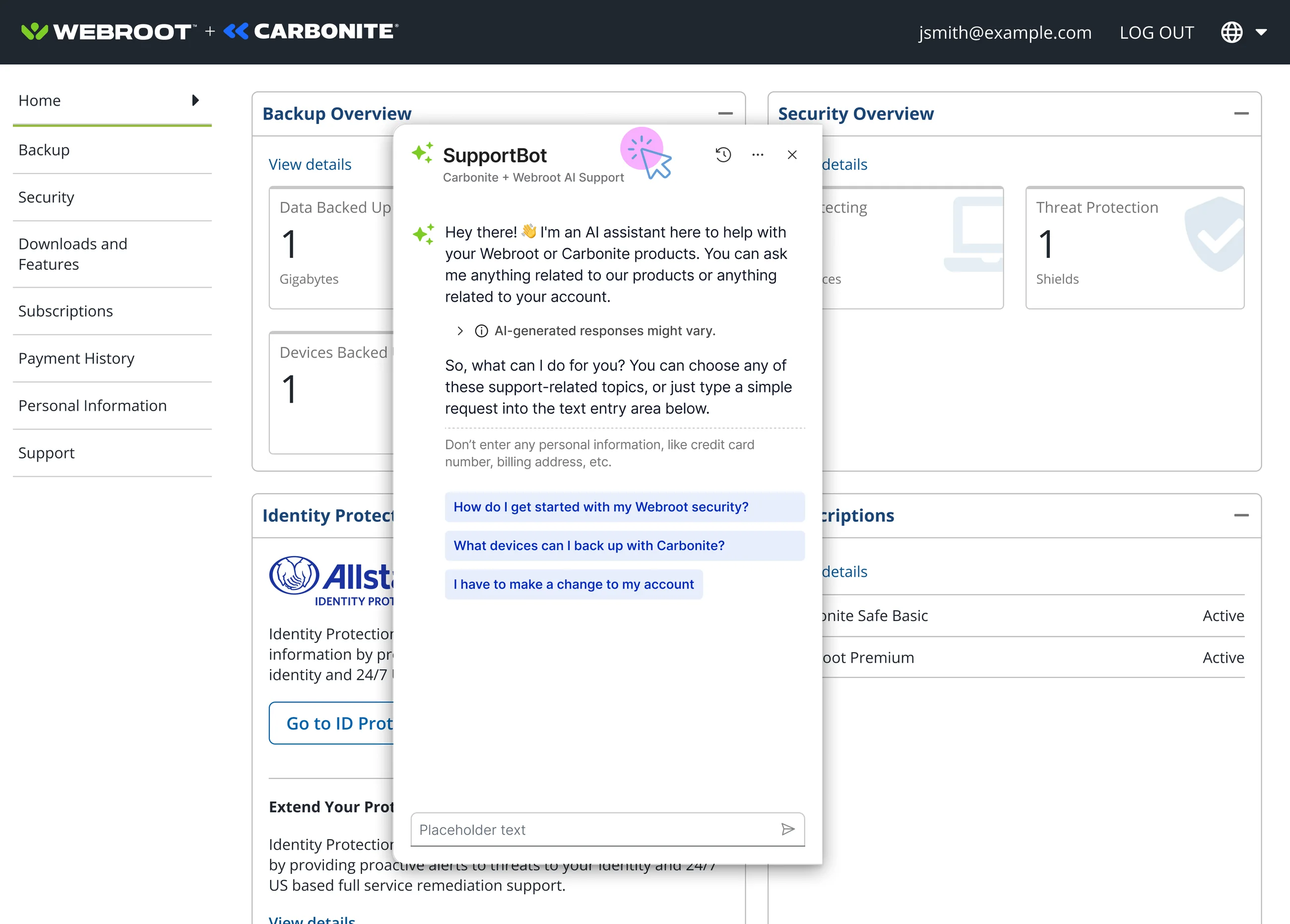
The assistant at the point of friction, and in motion. SupportBot is available anywhere in the Webroot and Carbonite account portal, so it meets setup and account questions wherever they arise, and answers them in natural language instead of routing users to a ticket queue or FAQ. The disclosure “AI-generated responses might vary” sits at the top of the panel, and three suggested prompts map to the scenarios that drive the most support volume.
The sequence it came from
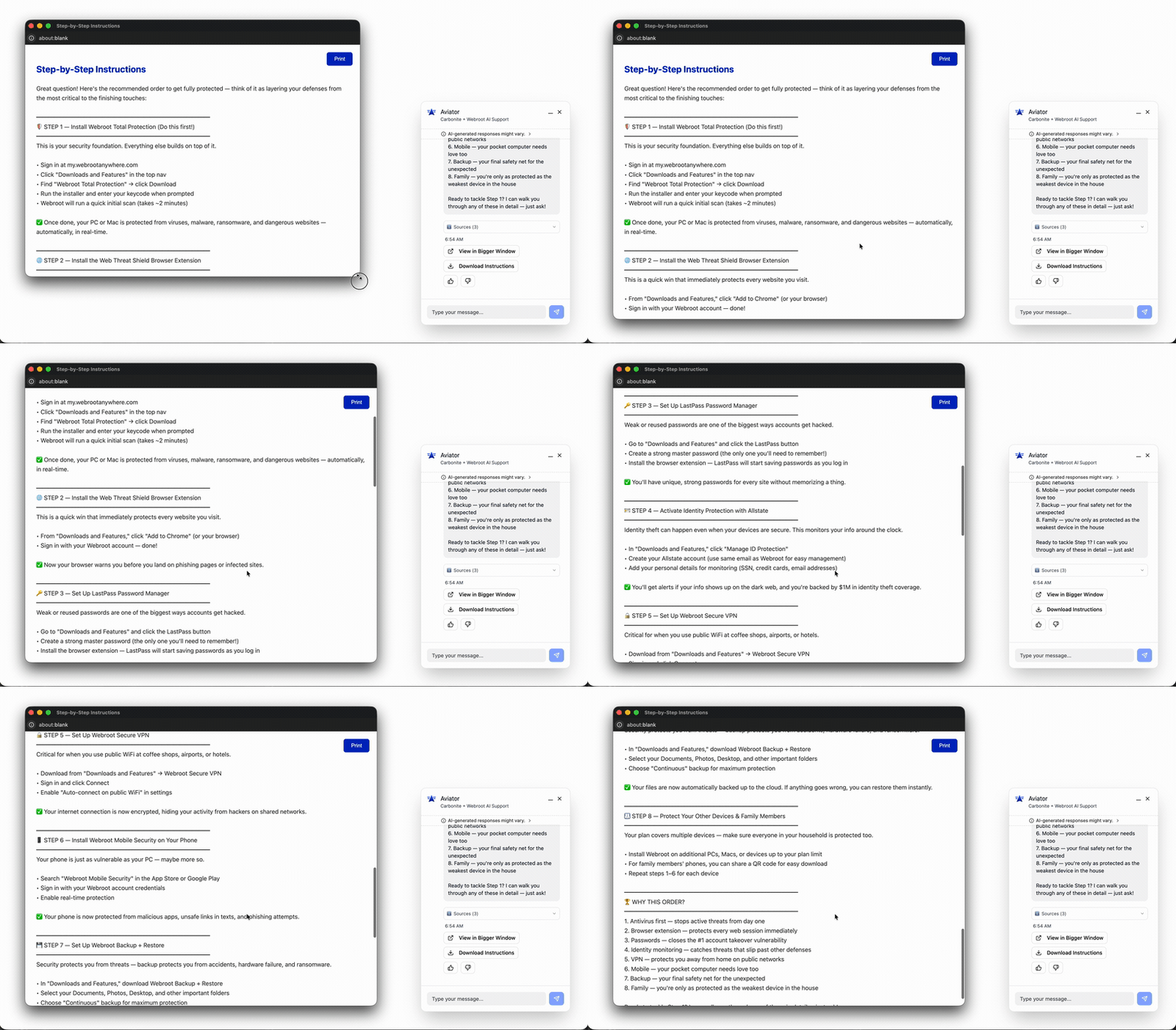
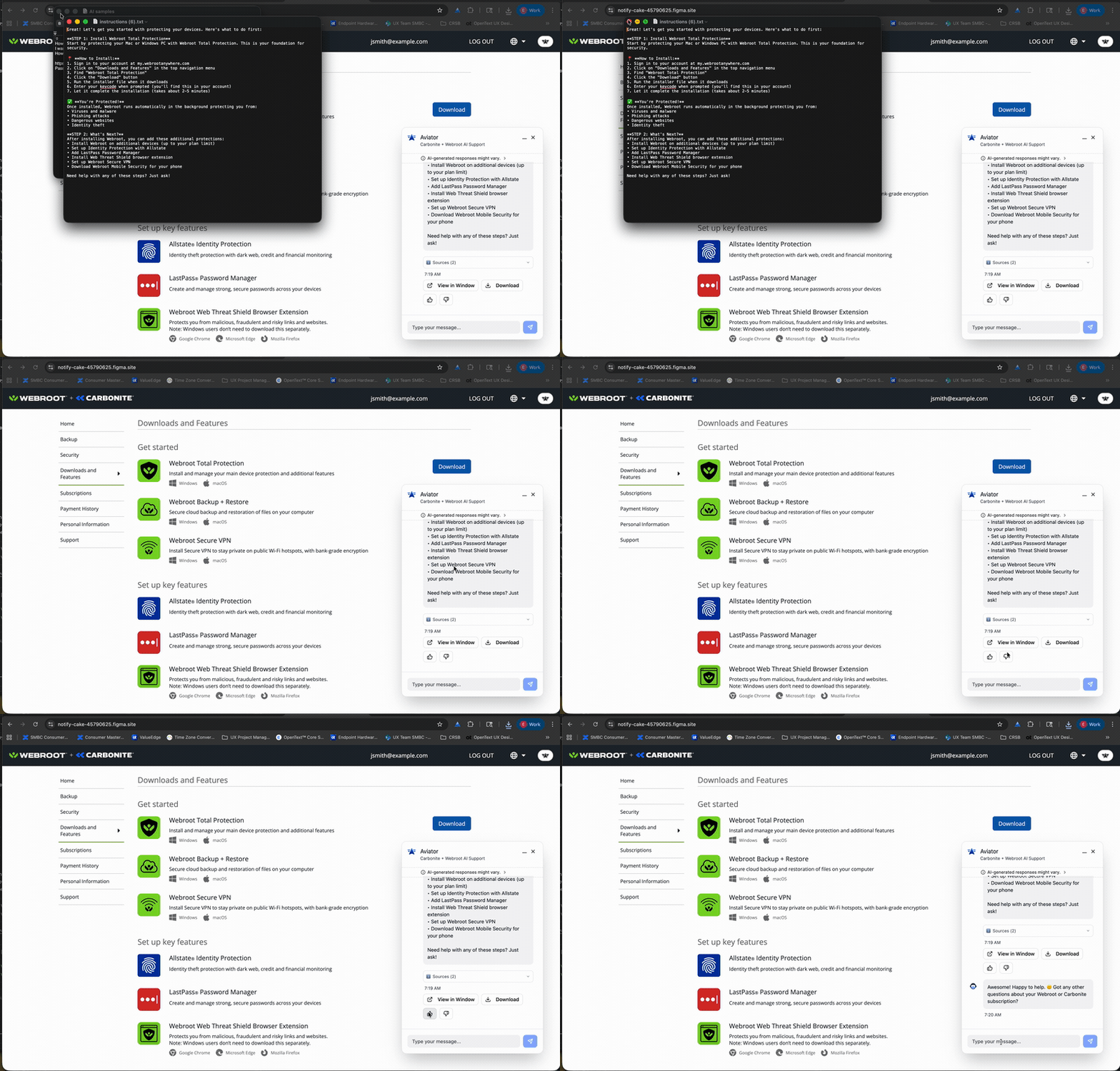
In motion
Process
Repetitive tickets in the queue, users stuck mid-setup.
As Webroot and Carbonite consolidated into one OpenText account experience, support inherited a steady stream of repetitive, low-complexity questions: how to get started, which devices can be backed up, how to change an account setting. They clogged the queue and slowed response on urgent issues. Users didn't want to file a ticket and wait; they wanted an answer mid-setup, and the static FAQ wasn't being read.
- Placed at the point of frictionCatching the question on whatever page the person is already on deflects the ticket instead of escalating it. Site-wide in the account portal, not in a buried support section.
- Disclosure surfaced, not hiddenThe “AI-generated responses might vary” notice sits below the panel header, not in a footer, so expectations are set before the first answer.
- Prompts mapped to real volumeThree task starters solve the blank-slate problem and steer users toward the questions the assistant resolves best, drawn from what actually drives support volume.
- Scope-bounded on purposeLimited to Webroot and Carbonite products and account tasks, which keeps answers reliable and shrinks the hallucination surface.
- Monitored in production, with humans in the loopBuilt with engineering, product, support operations and privacy. Agentic behavior is actively monitored, including human-in-the-loop oversight levels, ahead of a broader rollout.
Deflection only works if users trust the answers and stay inside the assistant's competence. That principle is behind all four design decisions.
Full detail
Situation and task
As Webroot and Carbonite consolidated into one OpenText account experience, support inherited a steady stream of repetitive, low-complexity questions: how to get started, which devices can be backed up, how to change an account setting. They clogged the queue and slowed response on the urgent issues. Users did not want to file a ticket and wait either; they wanted an answer mid-setup, and the static FAQ was not being read.
The task: design an on-brand conversational agent that absorbs the repetitive load and frees human agents for complex cases, without the failure modes that make AI support worse than none: confident wrong answers, an empty text box, hidden disclosure.
Three requirements followed from that:
- Deflect repetitive tickets. Resolve the highest-volume questions in-chat so they never enter the queue.
- Answer at the point of friction. Surface help anywhere on the site, not in a buried support section.
- Stay trustworthy and on-brand. Carry the OpenText identity, be honest about AI limits, stay scoped to real product tasks.
What I did, in full
A.Placed the assistant at the point of friction
SupportBot is available site-wide in the account portal rather than in a support section. Catching the question on whatever page the person is already on deflects the ticket instead of escalating it.
B.Surfaced the disclosure instead of hiding it
The “AI-generated responses might vary” notice sits below the panel header, not in a footer, so expectations are set before the first answer. A line asking people not to enter personal information sits with it, in the same position in both the docked and launcher-anchored treatments.
C.Mapped the suggested prompts to real volume
Three task starters solve the blank-slate problem and steer users toward the questions the assistant resolves best. They are drawn from the scenarios that drive the most support volume, which is what makes them a deflection mechanism rather than decoration.
D.Bounded the scope on purpose
The assistant is limited to Webroot and Carbonite products and account tasks, which keeps answers reliable and shrinks the hallucination surface. Staying inside its competence is what lets a person trust the answer they get.
E.Designed the responsible AI behavior with the team that owns it
The work ran with engineering, product, support operations and privacy. Agentic behavior is actively monitored in production, including human-in-the-loop oversight levels, which is the condition on a broader rollout.
Status, in full
Limited release testing. The design is live in the production account portal with targeted user groups and actively monitored, ahead of a broader rollout.
Human in the loop. Agentic behavior is monitored in production, including human-in-the-loop oversight levels.
Deflection is the measure. It is the primary success signal, alongside containment, speed, reclaimed capacity, CSAT and follow-up-contact rate. Outcome figures are published here once monitoring confirms them, and no outcome figures are claimed on this page.